Hello @C.PAPET ,
Greetings for the day.
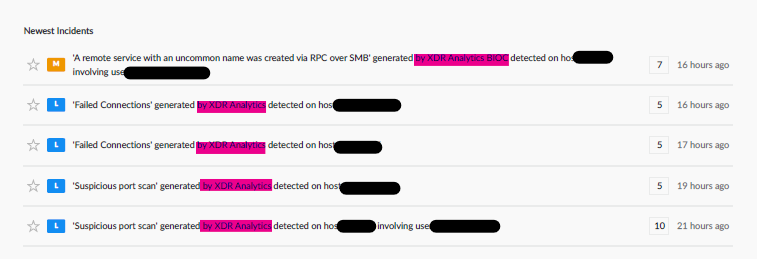
The reported change in incident report output after the Cortex v5.0 update is primarily due to a combination of terminology changes, UI reorganization, and architectural performance optimizations.
(Key Factors for Missing "Source" Data)
Performance Decoupling:
In v5.0, Issues (formerly Alerts) are sent for notification immediately upon detection to ensure near real-time reporting.
This can occur before the backend completes grouping the issue into a Case (formerly Incident), which may result in some metadata fields appearing as blank or null in immediate outputs.
Widget Relocation:
The Alert Sources widget was relocated in v5.0 and is now available under the Alerts widget within the Incident Overview tab.
Predefined Template Limitations:
Built-in report templates are static. If the Source field is no longer included in a default report template after the upgrade, a custom report template may be required to ensure the field is displayed.
Steps to Restore the "Source" Field in Reports:
To ensure the Source (or Alert Source) field is included in generated reports:
-
Navigate to:
Dashboards & Reports → Customize → Report Templates
- Click + New Template and select Blank as the template type.
- Drag a Table Widget onto the report canvas.
- Set the Data Source to either:
- In the widget's column configuration, manually add the following field:
- (Optional) For raw data reporting, use a custom XQL query within the Attach CSV section:
dataset = alerts
| fields _time, alert_id, alert_source, severity
- Save the template and configure any required report schedules.
Important: Changes must be saved directly to the report template to ensure they are reflected in scheduled and recurring reports.
Additional Verification:
If the Source field continues to appear as null after configuring a custom report template:
- Verify that the underlying alert data actually contains values for the alert_source field.
- Confirm that the selected report dataset includes the required field.
- Review any field visibility settings configured within the console.
- Check whether an editable Incident/Case layout configuration affects which fields are exposed to report templates and PDF exports.
It may also be helpful to verify whether any report template, dashboard widget, or case layout customization introduced after the upgrade is affecting field visibility within exported reports.
If you feel this has answered your query, please let us know by clicking like and on "mark this as a Solution".
Thanks & Regards,
S. Subashkar Sekar