List Office 365 using MineMeld does not work

cancel
Showing results for 
Show  only  | Search instead for 
Did you mean: 
Announcements
Scheduled Maintenance: November 14–15 (starting Nov. 14 at 12:00 AM PST)
LIVEcommunity will temporarily operate in read-only mode as we prepare to welcome Idira!
Public content will remain accessible, but log-ins, posting and community interactions will be paused during this period. Thank you for your patience!

List Office 365 using MineMeld does not work

Hi,


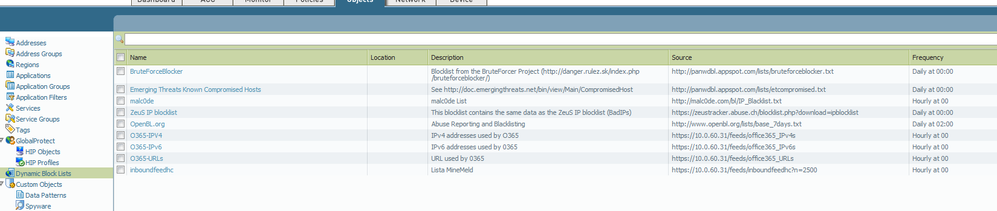
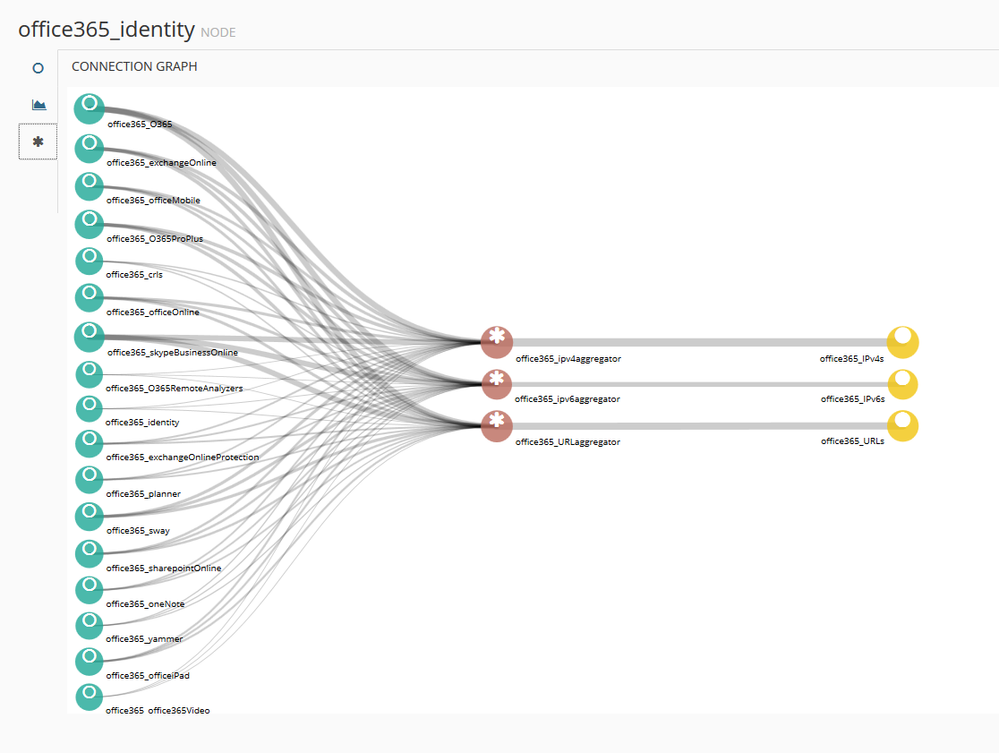
I have installed Minemild and I applied article and create dbl for Offcie365:


https://live.paloaltonetworks.com/t5/MineMeld-Articles/How-to-Safely-Enable-access-to-Office-365-usi...


I have cretate 2 rules for Office 365 to test if feed sources Office 365 works.


I have a rule to match with feed list office 365 servers and application Office365 and all traffic should match with this rule. And I have below this rule other rule with destination "any" and application Office 365.


Log shows traffic match with 2 rule.


That means there are IPs that are not in the sources provided by Minemeld.


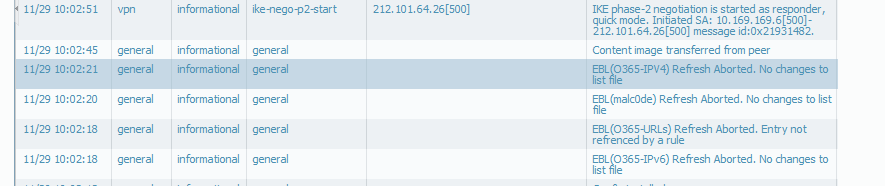
On the other hand, System Log Pa-500 shows this message:


'EBL(O365-IPV4) Refresh Aborted. No changes to list file


what's mean this message? Is an error ?


Thank youScreenshot_11.pngScreenshot_14.pngScreenshot_13.pngScreenshot_12.pngScreenshot_15.pngScreenshot_16.png
3 REPLIES 3

L7 Applicator

Hi @Sistemas_SanLucar,

as mentioned in the original MS article traffic to CDNs is not covered by the published IP ranges. To safely enable that traffic you should define a policy with ssl and web-browsing, destination any and URL Category the EDL of O365 URLs provided by MineMeld.

Hi,


thank you for your answer.


I tried to apply it but I had problems.


I have Pan-os 6.1.0


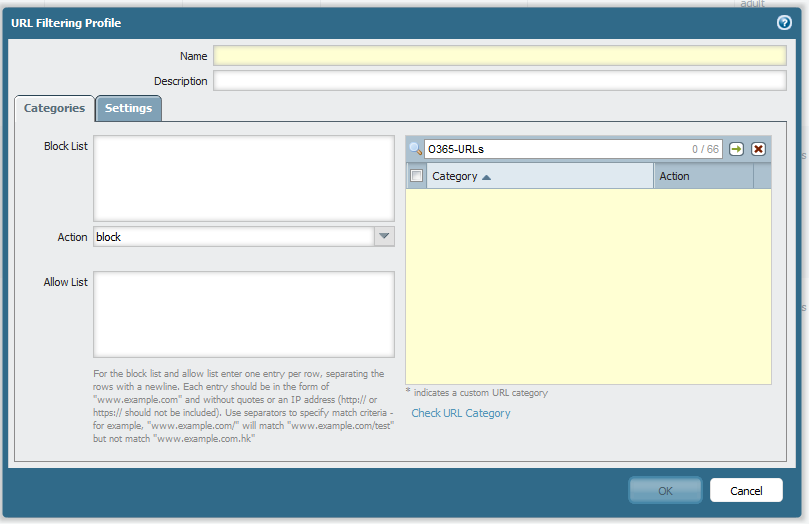
When I try to create a url filter profile. it does not show my dbl.


how could I make it?


thank you


Screenshot_27.pngScreenshot_28.png

Hi @Sistemas_SanLucar,

you need PAN-OS 7.1 to use EDLs as URL categories.


  • 5517 Views
  • 3 replies
  • 0 Likes
Like what you see?

Show your appreciation!

Click Like if a post is helpful to you or if you just want to show your support.

Click Accept as Solution to acknowledge that the answer to your question has been provided.

The button appears next to the replies on topics you’ve started. The member who gave the solution and all future visitors to this topic will appreciate it!

These simple actions take just seconds of your time, but go a long way in showing appreciation for community members and the LIVEcommunity as a whole!

The LIVEcommunity thanks you for your participation!