Expedition server sizing
Anyone know server sizing requirements for this? Minimum cpu, memory and storage? Also, what is the recommended way to install?

I started by running the command scp export log traffic start-time equal 2018/07/30@00:00:00 end-time equal 2018/07/30@23:45:00 to expedition@172.30.200.117:/PALogs/mltest.csv on my PA220. root@Expedition:/PALogs# ls -ltotal 64296-rw-rw-r-- 1 expedition expedition 65830760 Aug 1 17:35 mltest.csvdrwxr-xr-x 2 www-data www-data 4096 Aug 1 ...
I created an OVA for my team and put it up here (Note, this isn't the official release now offered by PANW): https://drive.google.com/open?id=1Z9GrCF8I_BZzpbEmEh6G75npo05_4G0c Be sure to go Settings > M. Learning > and change the Expedition ML Address address to your VM's IP. Then return to the Dashboad and Start the Agent. [UPDATE 6.4...
Expedition uses APACHE as a web server and PHP as module for the scripts. By default PHP allow users to upload files with a maximum size of 2M, this can be updated by changing the PHP.ini sudo vi /etc/php/7.0/apache2/php.ini go to line where this variable is defined upload_max_filesize = 2M and replace by upload_max_filesize = 250M There...
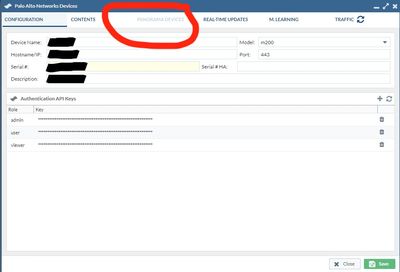
Hi there. Just started using Expedition Tool. Added the device successfully and created a project. Trying to import the config and it hangs in "File: Phase 10 Check for Used Objects". Is this normal? PA-5250 running 10.2.3-h4 ET running 1.2.57
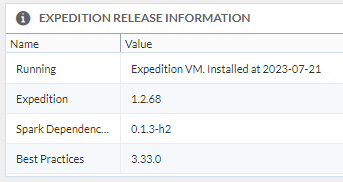
I am unable to access the web gui after 2 - 3 days without accesing the Expedition tool. Everytime I have to reboot Expedition from the CLI via SSH to be able to access it on the browser. HAve you ever have this issue before and the way to fix it? I am running Expedition version 1.2.68 spark dependencies 0.1.3-h2.
Good day! I would like to ask if Expedition is capable of migrating the configuration of Cisco ASA 5555-x and 5545-x which are currently running on 9.14. According to this article, which was last updated a year ago at https://live.paloaltonetworks.com/t5/expedition-articles/expedition-supported-3rd-party-vendor-matrix/ta-p/336922, the support...
When I run the tool the it shows done but the toolbar says last ran never analyzed. Also the other tabs are blank. I upgraded from 1.2.59 to 60 to try and get it working.
Latest Expedition/BPA versions do not seem to be functional. I did run the BPA update script after updating to 1.2.68. Internal checks show no issues. Anyone have this working or can point me to where to get a version that is working?
Hello, How can I use the Expedition tool from macos?
I have run into a bug that seems to have come along in hotfix 1.64 back in June. In Chrome when working in a project. Software versions Version 114.0.5735.198 (Official Build) (arm64) Expedition 1.65 Client PC Apple MAC M2 Ultra Ventura 13.4.1c When in a project under network, the VPN tab, the navigation buttons on the left side disappear. S...
Hi, we had an issue with a connection after migrating from ASA to PaloAlto Firewall because Expedition was migrating the vxlan protocol to the wrong port udp/6500, but it should be udp/4789. Can you fix this bug? Regards
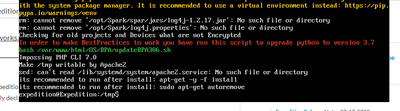
The Expedition installation script is unable to install the the Expedition debian repository. Installing Expedition debian repository--2023-07-13 07:26:00-- https://conversionupdates.paloaltonetworks.com/ex-repo.gpgResolving conversionupdates.paloaltonetworks.com (conversionupdates.paloaltonetworks.com)... 199.167.52.71Connecting to conversion...
Hello team, I´ve just started with expedition and I´m working on trying to get logs from Splunk. Whenever I run a query i´m getting the following errors in the task manager log and the file/info is never retrieved. I´m on version 1.2.64 BP3.33.0 Tue, 11 Jul 2023 09:51:27 +0200 Start TaskAction: RequestTraffic Log from Splunk:Target: XXXXXXX...
Received the following when trying to run initSetup_v2.0.sh command sh initSetup_v2.0sh Output: initSetup_v2.0.sh: 36: [[: nofound No LSB Modules are available. initSetup_v2.0.sh: 366: [: 20.04: unexpected operator This script has been prepared for Ubuntu Server 20.04 Current version: 20.04 Any Ideas??
expedition@Expedition:/$ df -hFilesystem Size Used Avail Use% Mounted onudev 733M 0 733M 0% /devtmpfs 151M 16M 135M 11% /run/dev/mapper/Expedition--vg-root 18G 7.6G 9.2G 46% /tmpfs 755M 0 755M 0% /dev/shmtmpfs 5.0M 0 5.0M 0% /run/locktmpfs 755M 0 755M 0% /sys/fs/cgroup/dev/sda1 472M 471M 0 100% /boottmpfs 151M 0 151M 0% /run/user/1000
We are following Expedition-LogAnalysisGuide_v1.0.2.pdf to start using ML Expedition is v1.1.12, BP v3.6.3, Task Manager is running and there are no internal checks to remediate The firewalls are VMs running 9.0.1 In page 6 in the above doc, IP address 192.168.44.131 is used for Expedition. However, in page 7, a different IP is used in section...
We need to migrate fw running in google cloud to IBM Cloud, so is only to export the running config and upload to Fws located in IBM Cloud or Do we need export the config to expedition and them upload to Fw in IBM Cloud ? Thanks!.