Expedition Discussions
cancel
Showing results for 
Show  only  | Search instead for 
Did you mean: 
Expedition Discussions

Discussions

Resolved! ML gets stuck at "Pending"

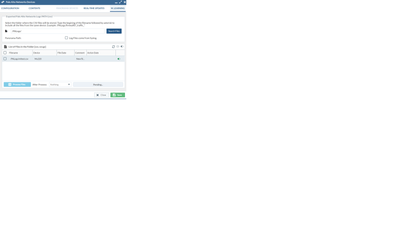
I started by running the command scp export log traffic start-time equal 2018/07/30@00:00:00 end-time equal 2018/07/30@23:45:00 to expedition@172.30.200.117:/PALogs/mltest.csv on my PA220. root@Expedition:/PALogs# ls -ltotal 64296-rw-rw-r-- 1 expedition expedition 65830760 Aug 1 17:35 mltest.csvdrwxr-xr-x 2 www-data www-data 4096 Aug 1 ...

Untitled.png
mbowling by L1 Bithead
  • 46177 Views
  • 26 replies
  • 3 Likes

If You Need an OVA...

I created an OVA for my team and put it up here (Note, this isn't the official release now offered by PANW): https://drive.google.com/open?id=1Z9GrCF8I_BZzpbEmEh6G75npo05_4G0c Be sure to go Settings > M. Learning > and change the Expedition ML Address address to your VM's IP. Then return to the Dashboad and Start the Agent. [UPDATE 6.4...

trice by L1 Bithead
  • 73029 Views
  • 46 replies
  • 23 Likes

Resolved! How to Upload configuration files bigger than 2MB

Expedition uses APACHE as a web server and PHP as module for the scripts. By default PHP allow users to upload files with a maximum size of 2M, this can be updated by changing the PHP.ini sudo vi /etc/php/7.0/apache2/php.ini go to line where this variable is defined upload_max_filesize = 2M and replace by upload_max_filesize = 250M There...

alestevez by L7 Applicator
  • 30130 Views
  • 5 replies
  • 11 Likes

Checkpoint & tags

Hi, When migrating from Checkpoint to Palo Alto, the section titles within the security policy are becomming tags - which is perfectly fine. On the NAT policy however, section titles are not taken into account and not migrated to tags. This brings on manual work for configuring those tags, apply them on NAT rules in order to filter/group rules...

Feature Request NOT in Filters

Some of the predifined filters are great, Show Duplicate Names and Values is great for identifying duplicate objects to be deleted (or merged). Show Duplicate Names is great for identifying objects that need more investigation. When you are working with Panorama it is common to have Duplicate Names as objects will exist in different device gr...

CHammock by L2 Linker
  • 3876 Views
  • 3 replies
  • 0 Likes

Bug in CSV NAT import: not all values for "interface" ingested

Hi again! Running Expedition 1.1.28. A new bug in CSV import of NAT rules. I have many lines that contain the same value for the field "interface" ("Interface" in the GUI). Only the first line get this value imported. On the subsequent lines with the same value, that field is empty. It is, however, not so simple that only the first entry...

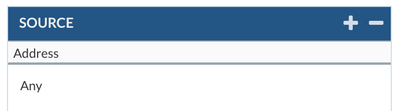
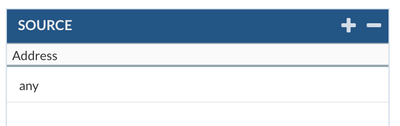
Addresses "null" instead of "any" in NAT and Security rules?

Expedition 1.1.28 Lately I have seen some occasions where Source or Destination fields in NAT or Security rules show up as "null" in the main table. Earlier, when I worked on this project, they showed up as "any". In some rules they still show up as "any", not all are showing "null". List view If I edit these rulles individually, the differenc...

Skärmavbild 2019-07-18 kl. 10.14.44.png
Skärmavbild 2019-07-18 kl. 10.21.54.png
Skärmavbild 2019-07-18 kl. 10.21.41.png
Skärmavbild 2019-07-18 kl. 10.23.48.png

Resolved! Missing filter attribute 'Interface' for NAT Policies

Hi! I'm running Expedition 1.1.28 and working with at large (200+) set of NAT policies imported via CSV. In my case, I would have liked the possibility to apply filters based on the value of the Interface attribute. However, that attribute is missing in the list. Is it possible to have that attribute added? /Per

Resolved! Viewing the migrated configuration in Panorama

Hi, I used "Expedition" tool to migrate configuration from a cisco FWSM context to Panorama. I follwed the steps mentioned in the "Expedition-UserGuide-v1.0". I followed the steps to export the configuration from Expedition to Panorama. The action shows "succeeded", but i am not able to view the exported configuration in Panorama. I also tri...

MGRashmi by L2 Linker
  • 9527 Views
  • 8 replies
  • 0 Likes

Bug in CSV Interface import with unnumbered interfaces

Hi! Running Expedition 1.1.28. I recently begun importing tunnels via CSV import. I have discovered that interfaces with type (media) "tunnel" are ignored if they are not assigned an address at all. Tunnel interfaces often don't need addresses asigned, especially if they are used with static routing and next-hop is the interface. Performin...

Bug in CSV Static Route import with unnumbered interfaces

Hi! This is related to another bug I just described (Bug in CSV Interface import with unnumbered interfaces). If you import static routes with only an interface (typically a tunnel interface) but without a gateway address, the entry does not get imported. Reasonable if you only ever use ethernet-like interfaces, but needed if you use IPsec...

Resolved! Expedition MFA Problem - "Incorrect user or password" error

Hello All, I have run into an issue while trying to integrate Expedition with DUO. Here is the synopsis: Expedition sends an anonymous bind request to Duo. Duo responds back a response. The response always reads as incorrect user or password. I set logging to debug mode and i see the following three errors (tail -f /var/log/apache2.errors.l...

Please share an example of correct CSV for NAT import

I'm working on producing a CSV file to use as a source for NAT rules. Right now I only need interface hide NAT (using default interface address as hide address). I have not been able to find any documentation (including the latest published CSV import guide) that has an example that gives any hint to how the fields 'tp_source' and/or 'interfac...

Base configuration is emptiy after import

After a Panorama import in my projekt can i see 4707 Adresses 600 Services and any more. But in the rigth corner i see no configuration. And the Base Configuration[Output] on Export Windows are empty I am using expedition version 1.1.26 on an ESX VM Can anybody help me further?

M.Learning Search Files Function not working

I am on Expedition version 1.1.26 I cannot get the Serach File function in M.Learning under a Panorama device to work. I have verified the permissions for the directory and the directory mapping. This had worked in earlier versions but does not appear to be working now.

sa.jpg
sd.jpg
  • 1185 Posts
  • 89 Subscriptions
Labels