GlobalProtect Discussions
GlobalProtect discussions offers topics about our network security for endpoints that protects your organization's mobile workforce. This area is dedicated to GlobalProtect discussions to help you answer questions.
cancel
Showing results for 
Show  only  | Search instead for 
Did you mean: 
GlobalProtect Discussions
GlobalProtect discussions offers topics about our network security for endpoints that protects your organization's mobile workforce. This area is dedicated to GlobalProtect discussions to help you answer questions.
About GlobalProtect Discussions
Welcome to the GlobalProtect discussion area! Here, you can engage in conversations about GlobalProtect, explore new insights, and stay updated on ongoing discussions. Check back regularly for the latest updates and community insights on GlobalProtect.

Discussions

Resolved! macOS Big Sur with OKTA

I've just updated my MAC to macOS Big Sur. After update I can't connect anymore because GP client doesn't inove OKTA's login page.I'm using GP version 4.1.13-2Can someone help?Thanks.

Connection failed : Could not connect to the global protect gateway

Hi, I have recently upgraded my mac from catalina to big sur 11.2.1. My earlier global protect client was working fine with catalina but after mac upgrade I upgraded global protect client to version 5.2.4. After doing this I'm getting the error of Connection failed Could not connect to the global protect gateway after entering my username and ...

AS2195 by L0 Member
  • 3796 Views
  • 1 replies
  • 0 Likes

Multiple Gateways and Pre-logon

I have one portal and 3 Gateways. I set up a preferred gateway at HIGHEST based on an active directory group so users connect to their home office. When using Pre-logon since the user is a shared account the connection on a reboot seems to always find the closest gateway. This is OK but when my users log in they stay on that gateway until we r...

T-Mobile Home Internet won't maintain connection

I am on T-Mobile Home Internet(LTE) I can log into my company's servers, website and email for about 3 seconds and then it says not -connected and I can't access anything. The Global Protect status shows connected the entire time(Version 5.0-7.2). I've been back and forth with my IT Helpless desk and they blame it on T-mobile. T-mobile blames it...

joetart by L0 Member
  • 4011 Views
  • 1 replies
  • 0 Likes

Resolved! Global Protect Gateway Client IP Pool Grayed Out

I am attempting to configure a global IP Pool for my gateway, however, the Client IP Pool tab is always grayed out. I followed the documentation and I have tunnel mode enabled with a tunnel interface assigned, yet the tab remains grayed out. Any help is greatly appreciated.

Global Protect Upgrade Transparent Mode

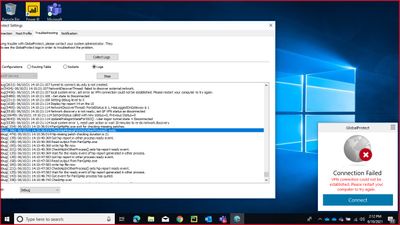
Hey just having some issues with GP upgrade on transparent mode:I have upgraded 3/4 individuals via transparent mode however one of them seems to be having an issue.he seems to get a popup saying GP agent upgrade is in progress.but the update never completes and the popup keeps popping up. looking at the logs i can see that it says download fil...

Mohammed_Ali_0-1621863302455.png

Systray icon missing

Today I noticed the GlobaProtect systray icon is not present.Trying to start "GlobalProtect" from the start menu yields no improvement.The process PanGPA.exe is running (checked in Task Manager).After killing that process, it restarted automatically and after a few seconds the systray icon finally appeared. Version 5.1.7-20Windows 10 Pro 1909 Th...

xerces8 by L1 Bithead
  • 4035 Views
  • 3 replies
  • 0 Likes

Resolved! Install in local root certificate store

I'm testing this and have questions... Where exactly is the root certificate stored on Windows and Mac when 'Install in local root certificate store' is selected under the agent configuration? My understanding is that the firewall pushes the root-ca down to the client upon connecting. I can't see any new certificates added in Keychain on Mac or ...

G.Grant by L2 Linker
  • 7340 Views
  • 1 replies
  • 0 Likes

Global Protect messes up my DNS route table on MacOS

Hello! Quick question. I just configured global protect. When I first configured it, I was sending all traffic through the tunnel which wasn't working well. So afterword I set it to allow split tunneling. But here's the problem: The first computer (MacOS) which I enrolled in GP when I was forcing all traffic through the tunnel, now will not ...

How to restrict access only to certified devices for users in an AD user group but not a different group

LDAP authentication is required for all the users. On top of that, we also want to restrict access to only certified devices for employees (must use company machines) but not contractors (can use private machines). Device certifications are pushed out through GPO to company devices. Employees and contractors belong to different AD user groups. H...

skuo2020 by L1 Bithead
  • 4853 Views
  • 5 replies
  • 0 Likes

Global Protect VPN always require password

Hi, I'm using GlobalProtect VPN 5.2.5-66 with a configured VPN. Unfortunately every time I reconnect to the VPN it always require me to insert the password. No matter if I enable touch id saving, it always prompt to me the password and it's very annoying. Is this a known issue? Is there any workaround? My configuration:MacOS 11.3 on M1 mac (but...

globalprotect Https on Mac 403 forbidden error

I have installed Global Protect on MAC OS 11.2.3 and i configured the URL, Username and password. It successfully connected. Note: I have configured/Allowed the "System software from GlobalProtect was blocked from loading." and restarted the mac. Few Client URLs with http works fine. Https ( secured ) URL getting blocked Error: Forbidden You...

dkumar by L0 Member
  • 4531 Views
  • 1 replies
  • 0 Likes
  • 1702 Posts
  • 68 Subscriptions
Top Solution Authors
Labels